Project management
Kipso
Run your projects. The AI checks every pay app, routes change orders and writes the board report. Your team makes every call.

Early preview For school districts, cities, colleges, hospitals and private owners
Software for the people paying for construction. Rebuilt from the ground up, with AI.
Project management
Run your projects. The AI checks every pay app, routes change orders and writes the board report. Your team makes every call.

Data migration
Switching systems? Bridge moves your messy spreadsheets, PDFs and old-system data into Kipso, or prepares it as a verified load package for the system you already use.
An AI agent on every project checks, drafts, routes and reports. Your people approve, certify and publish.
A field note becomes a drafted change order with its budget impact, routed to the right approvers under your policy.
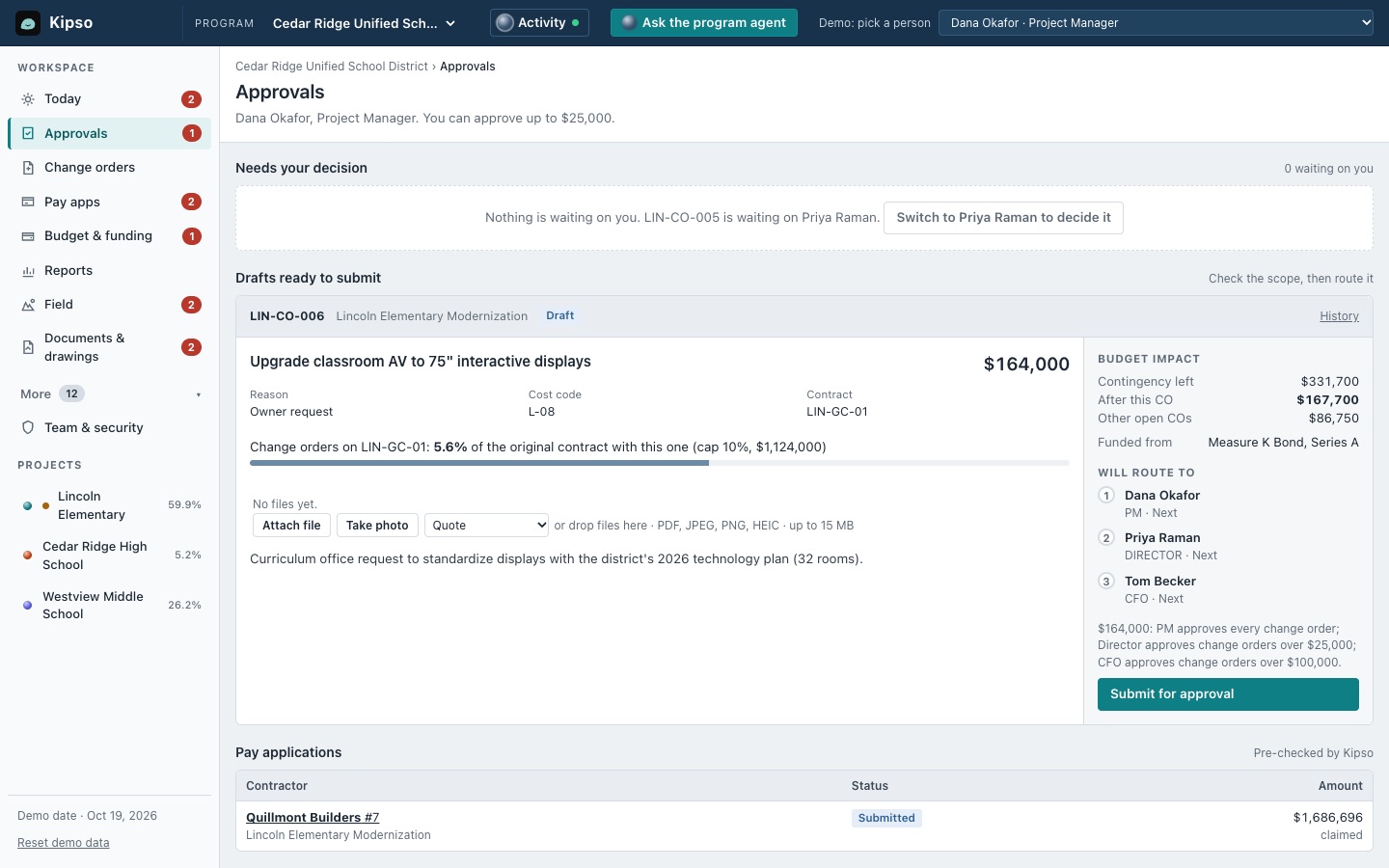
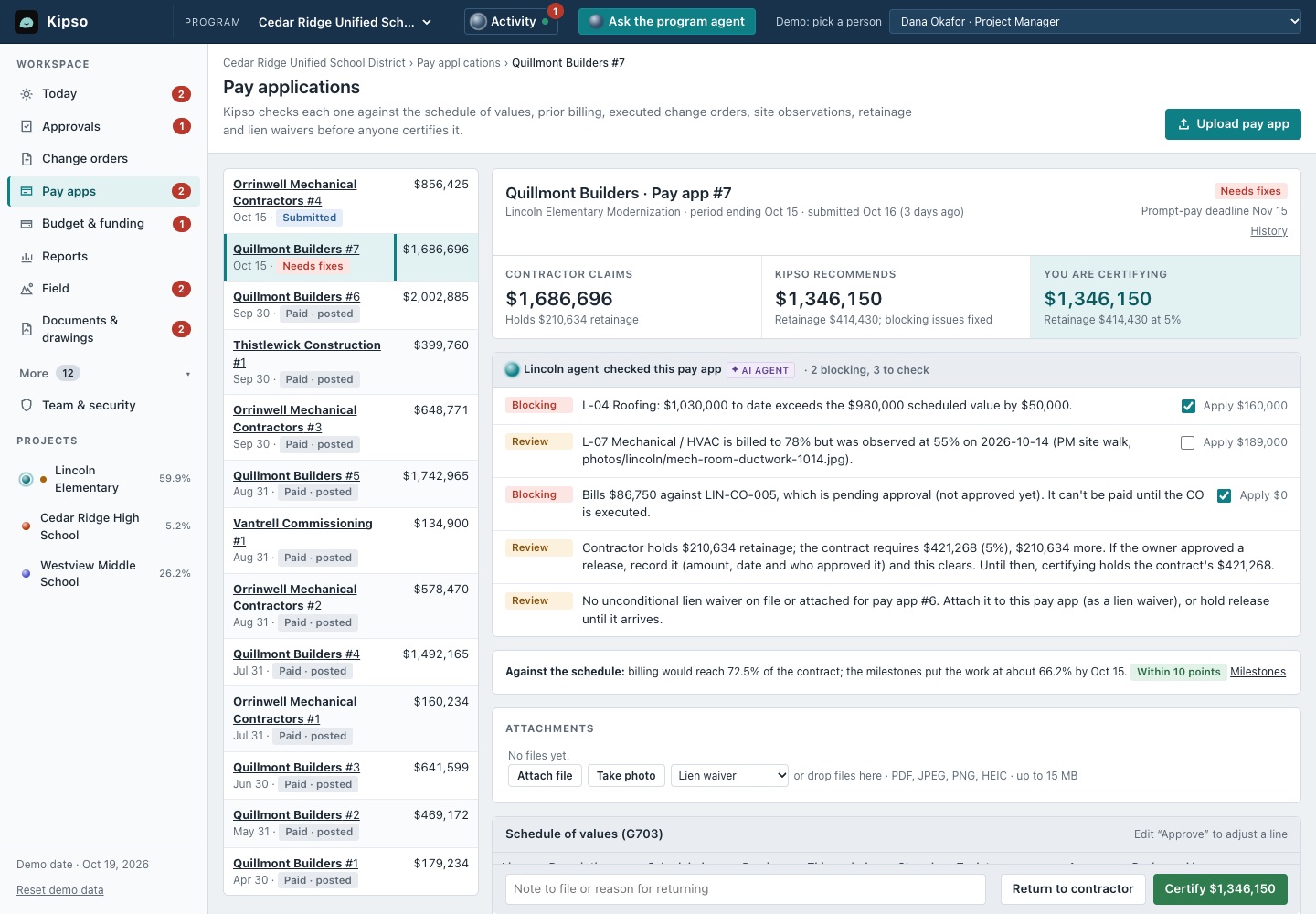
Every pay app is checked line by line against the contract, change orders, site progress and retainage before anyone certifies it.
Drop in the files you already keep. Kipso sets itself up and asks only about what it isn't sure of.
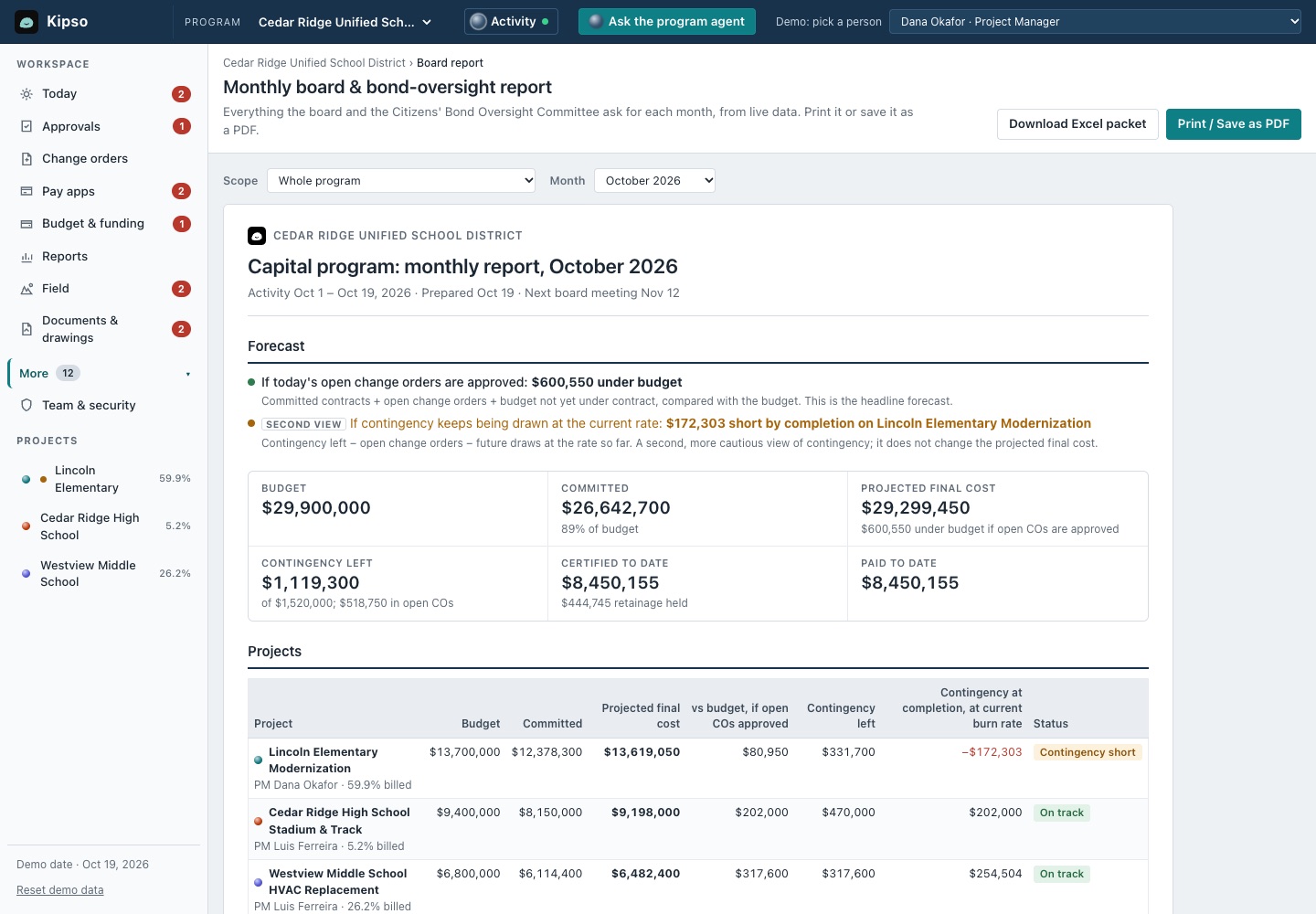
The monthly board report builds itself from live data, with a forecast that shows its math and a drafted summary to review.
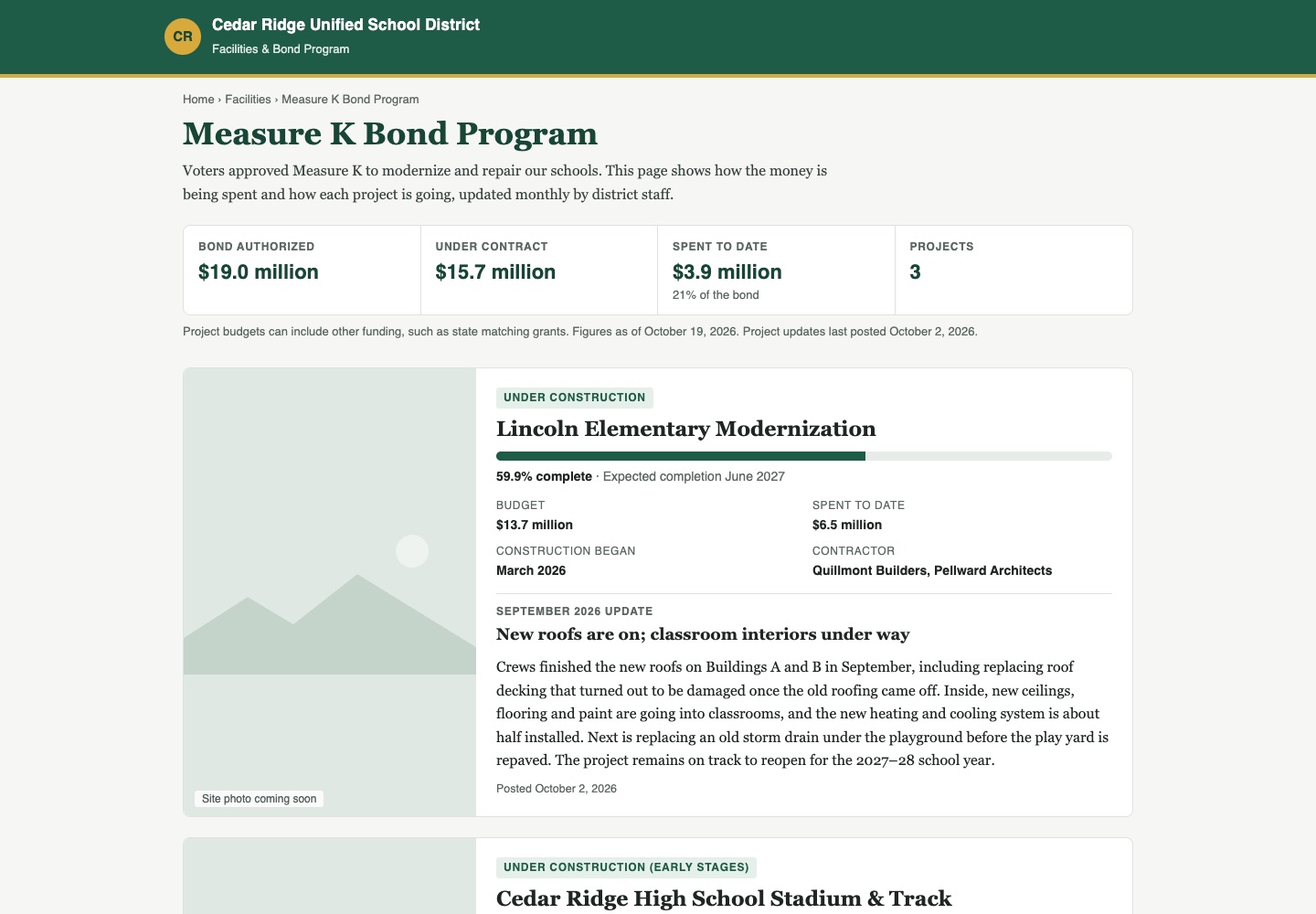
A plain-language public page for each bond or capital program. Kipso drafts each monthly update; your team approves it.
DemoScreens from the working demo with a fictional district.
Kipso checks each contractor bill line by line against the contract, approved change orders, site progress, retainage and lien waivers, then tells you what's wrong in plain English.

Kipso Bridge

You get: a verified load package, ready for your system's import tools, plus a step-by-step import guide.
Bring data in from spreadsheets, PDFs and old systems. Load it into Kipso, free, or get it ready for the system you already use:
Into Kipso it loads and verifies directly, free. For every other system you get a verified load package for its own import tools, a step-by-step import guide and a check after you import. Live connections to other systems may be added later. How Bridge works
Infor, Kahua, Oracle Unifier, PowerSchool, Procore, Trimble Unity Construct, Tyler Munis and Viewpoint Vista are trademarks of their respective owners. Kipso and Kipso Bridge aren't affiliated with or endorsed by them.
The AI does the setup, not a consultant. No workshops and no six-month rollout.
It's construction management for the people paying for the project. Kipso tracks the budget, checks every contractor bill and routes change orders for approval, with an AI agent for each project doing the paperwork. Named people on your team approve, certify and publish. It works for school districts, cities, colleges, hospitals and private owners.
Your staff. The AI drafts the change order and routes it under your approval policy, and only the person it's waiting on can approve it. Approvals, certifications and agent actions are recorded with the person and time in an append-only, hash-chained audit log. Signed-in people are recorded as themselves; actions taken with a workspace's setup key or in the public practice sandbox are recorded under the name given and labelled as not signed in.
Kipso is designed to go live in a day: you send the files you already keep and it sets itself up. That's our target, and we'll measure it on real projects before we promise it in a contract.
A data migration tool for construction. It reads the files you already have, matches them to the system you're moving to, checks every number, and loads the data or prepares it for loading. It's for owners switching systems, owner's reps and consultants running a migration, implementation partners, and contractors handing data over to an owner.
Into Kipso, loaded and verified, free. Or prepared for the system you already use: project management systems like Kahua, Oracle Unifier, Procore and Trimble Unity Construct, or accounting systems like Infor, PowerSchool, Tyler Munis and Viewpoint Vista. For those, Bridge produces a verified load package for the system's own import tools, a step-by-step import guide and a check after you import. There are no live connections to other systems yet; they may be added later, one system at a time. In the public demo every destination except Kipso is a simulation built from public documentation.
Not yet. It's an early preview running on a fictional district's sample data. If you want to use it on your project, tell us.
We'll take a field note to a certified payment in the demo, then talk about your program, whatever kind of owner you are. It's an early preview: free to try with sample data, no sign-up. If you want to use it on your project, tell us.